
Google Search Console Explained for Small Businesses (UK Guide):How to understand what your website is actually doing on Google

Google Search Console helps small business owners understand how their website appears in Google search results.
Introduction - How small businesses can use Google Search Console
Many small business owners build a website and then ask the same question: “How do I know if Google can actually see my website?” This is where Google Search Console comes in.
Google Search Console (often shortened to GSC) is a free tool from Google that shows how your website appears in search results. It gives website owners something incredibly valuable: direct data from Google itself. Unlike other tools, it shows what is happening before someone even visits your website. It tells you things like:
• which search terms people are using to find you
• how often your website appears in Google
• whether Google can properly read your pages
• if there are technical problems affecting your visibility
In simple terms, it helps answer the question: “Is my website actually being found on Google?”
Not sure if your business is showing up on Google? A free Website Visibility Check can help you understand how your website and listings are performing. Book your Free Visibility Check - a relaxed 30 minute chat to help you understand how your business is appearing online. If you do not have a website or business listings, we can also talk about how customers typically find local businesses online and what steps might help first.
Many small business owners come to me asking “why is my website not getting traffic?” Often the answer becomes clear when we look at the data inside Google Search Console. If you're still in the early stages of building your website, our guide 10 Steps to Building a Small Business Website That Actually Gets Found on Google (UK Guide) explains the foundations that help websites appear in search results.
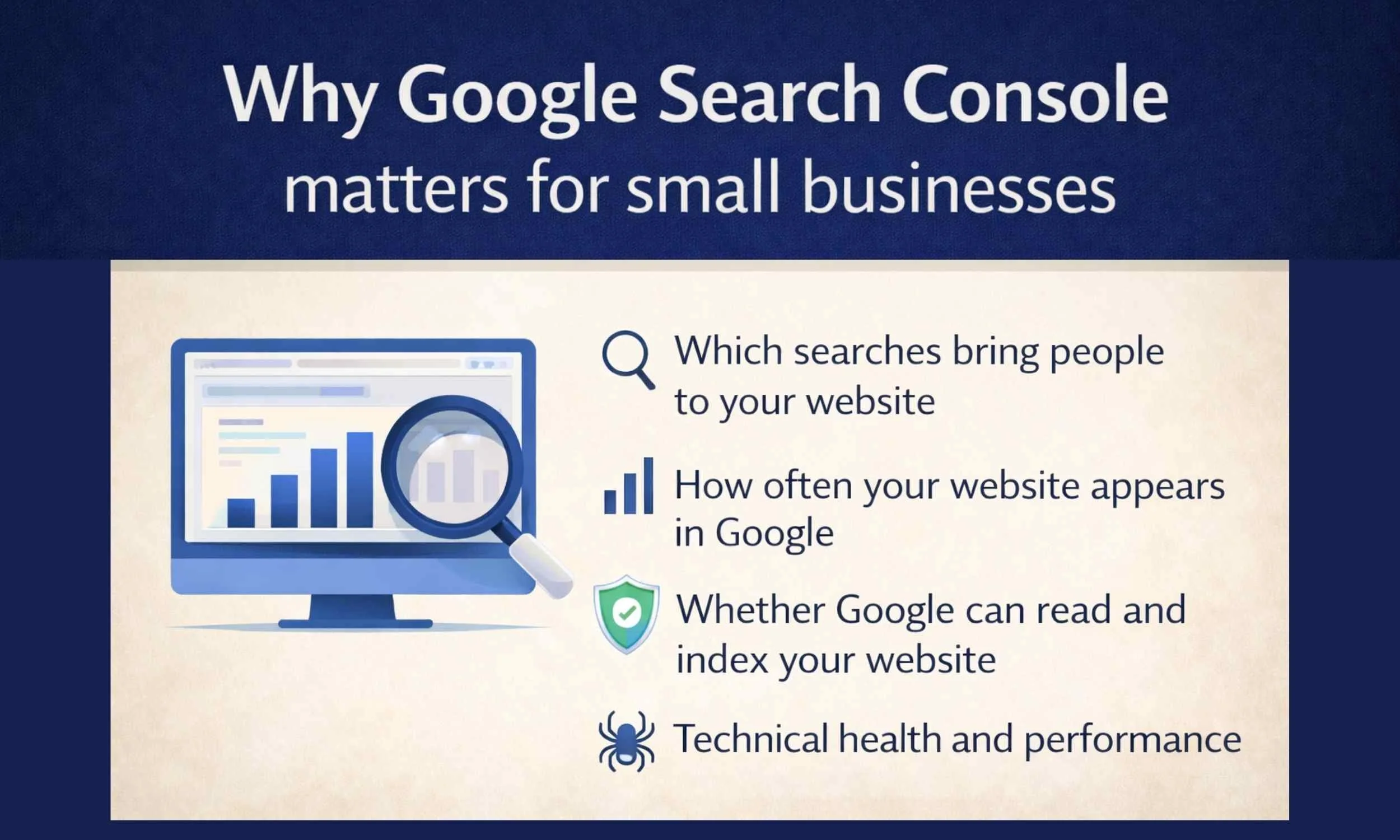
Why Google Search Console matters for small businesses
For small business websites, visibility on Google can make the difference between a quiet website and regular enquiries.
Google Search Console helps you understand four key things.
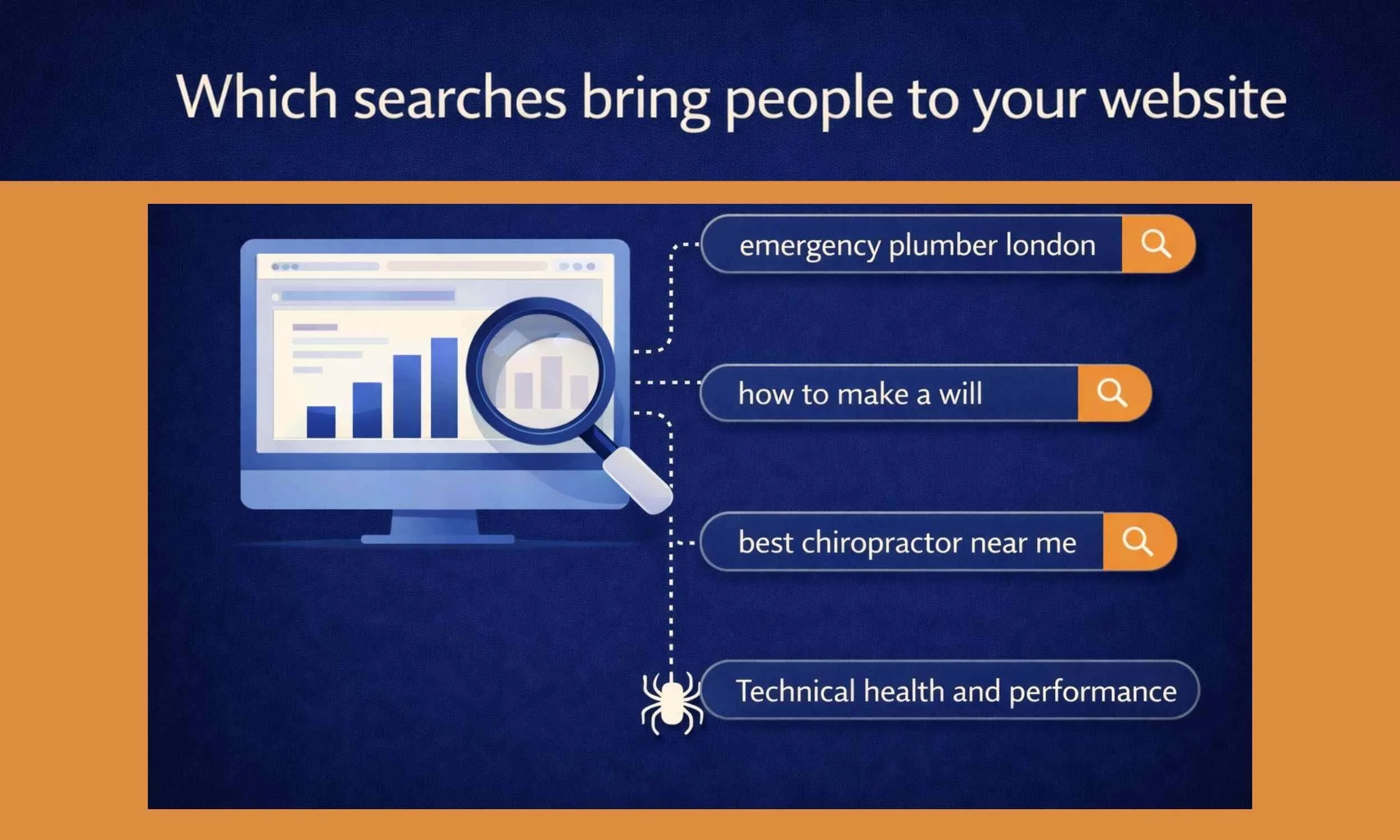
1. Which searches bring people to your website
GSC shows the actual phrases people type into Google before they click your website.
For example, someone might find a website by searching:
• website designer near me • florist in Ely • sheep home kill service • small business website builder
This information helps businesses understand what customers are really searching for.
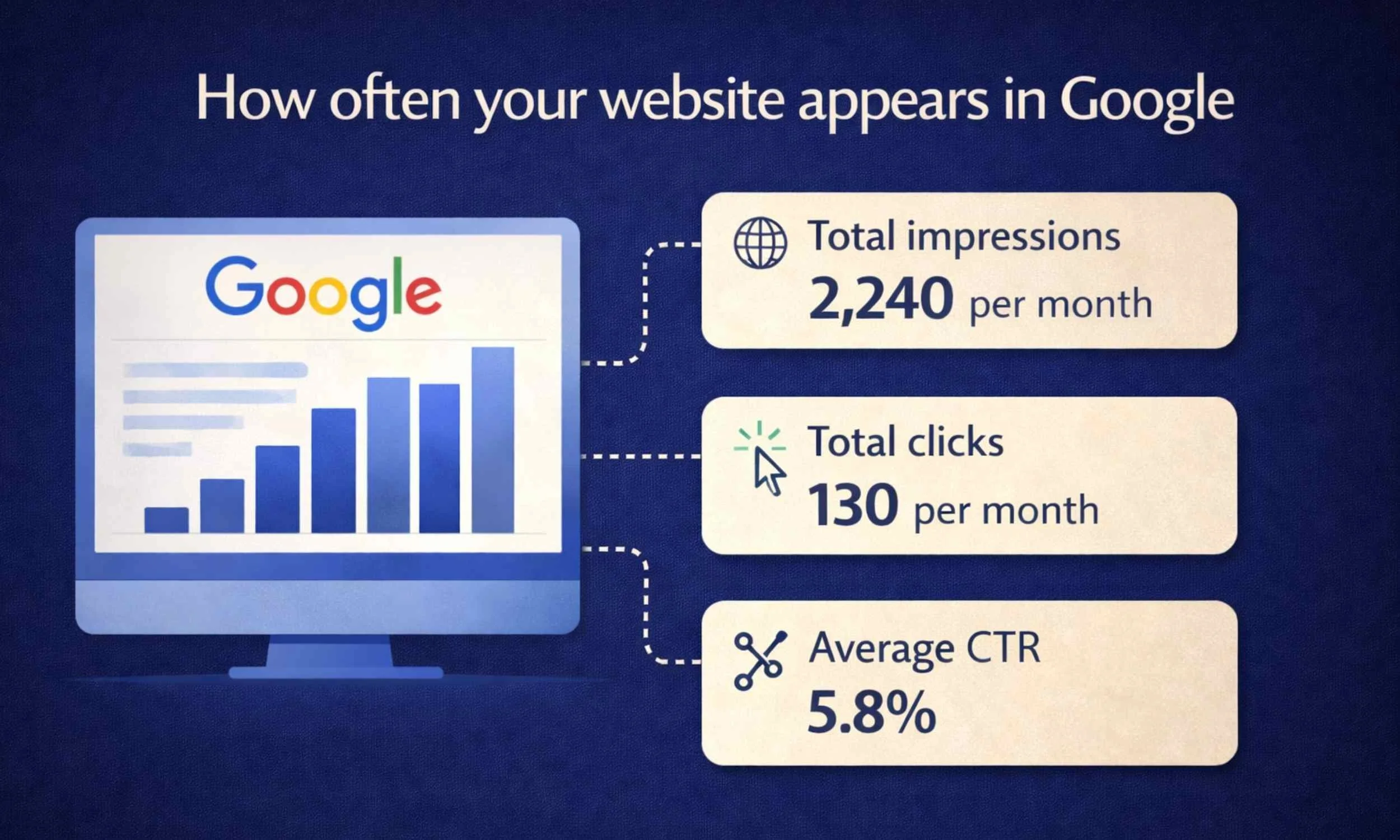
2. How often your website appears in Google
Even if someone doesn't click your website, Google may still show it in search results. Search Console records this as an impression. This is incredibly useful because it shows:
• whether your website is starting to appear for certain searches
• whether your visibility is increasing over time
Many new websites receive impressions long before they receive clicks, which is completely normal.
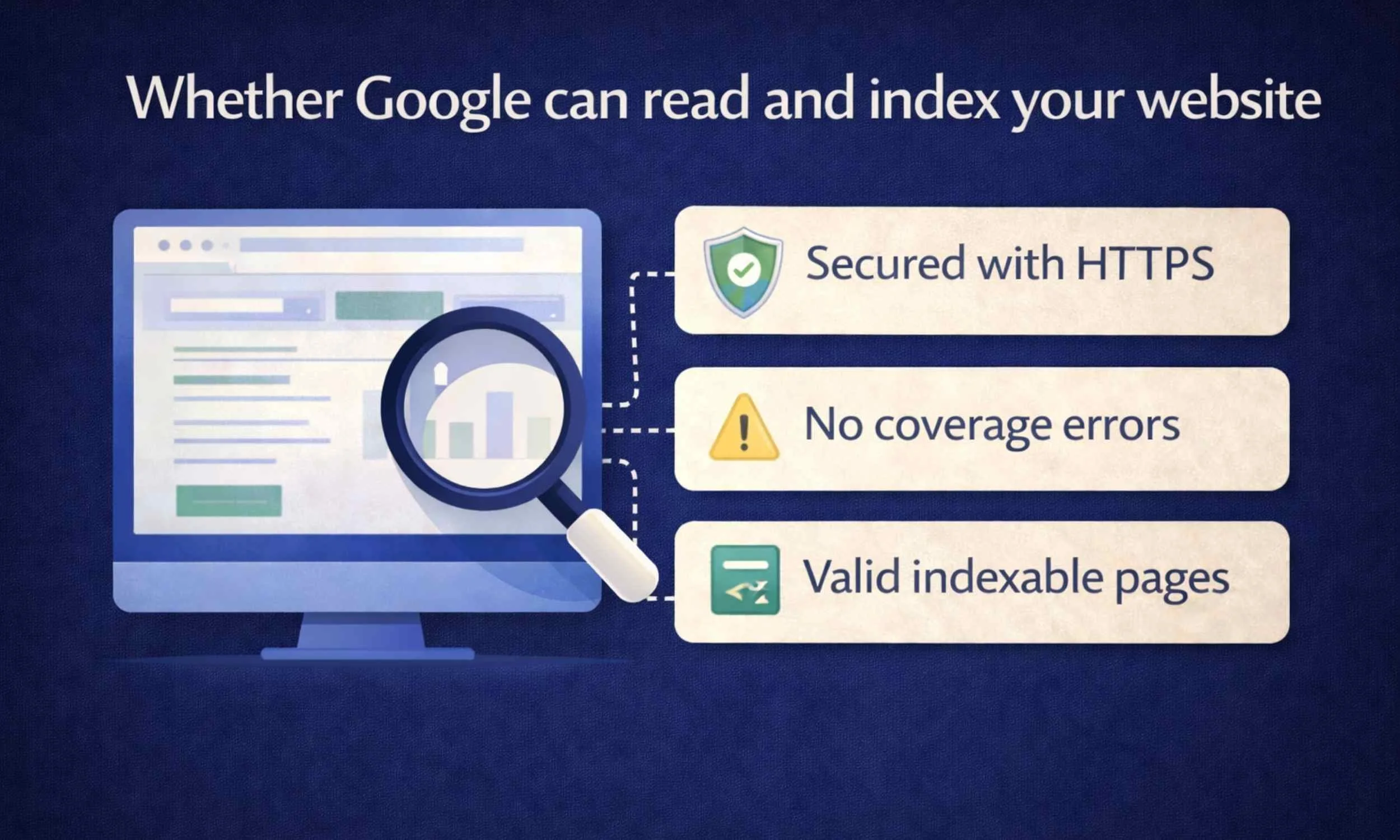
3. Whether Google can read and index your website
Google needs to crawl and index your website before it can appear in search results. Search Console allows website owners to: • submit a sitemap • request indexing for new pages
• check whether pages are indexed correctly
If something prevents Google from reading your site, Search Console will usually highlight it.
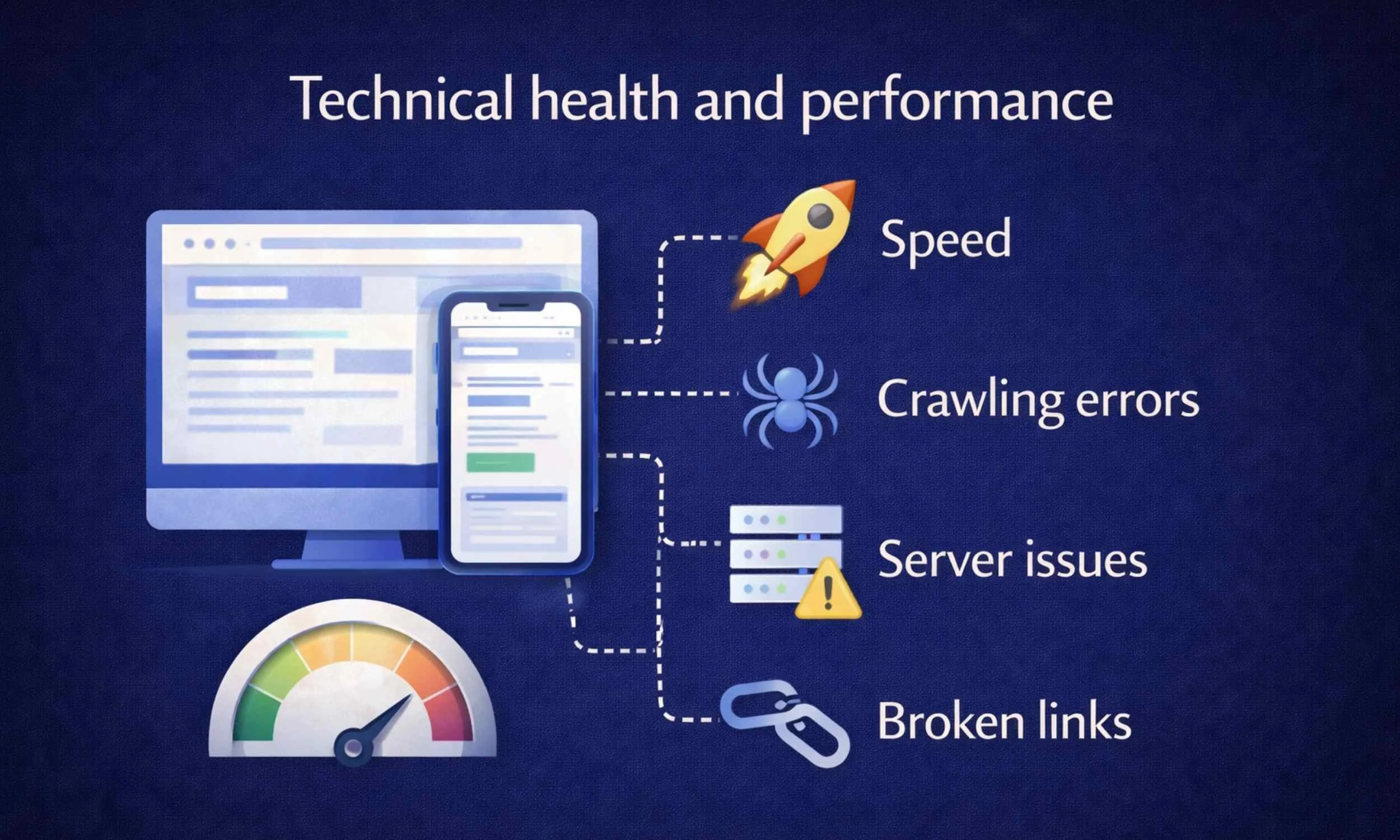
4. Technical health and performance
Google Search Console also monitors the technical health of your website. It can alert you to issues such as:
• broken pages (404 errors)
• mobile usability problems
• slow page performance
• security issues
These factors can affect both user experience and search rankings.
Many small business owners also feel overwhelmed when trying to manage their website content. In our guide Using ChatGPT as a Small Business Owner – What Actually Works, we explain simple ways tools like ChatGPT can help with things like writing website content, creating blog posts and generating ideas.
Why many small business owners avoid Google Search Console
Despite being incredibly useful, many website owners never use Google Search Console properly. The main reason is simple.
It looks far more complicated than it actually is.
When people first open the dashboard they often see:
• unfamiliar terminology
• technical error reports
• charts and data that feel overwhelming
Because of this, many businesses fall into a “set it and forget it” mindset.
They connect the tool once when their website launches, then never look at it again.
Others assume tools like Google Analytics already show the same information.
But the two tools measure completely different things.
Google Search Console vs Google Analytics
This is one of the biggest misunderstandings.
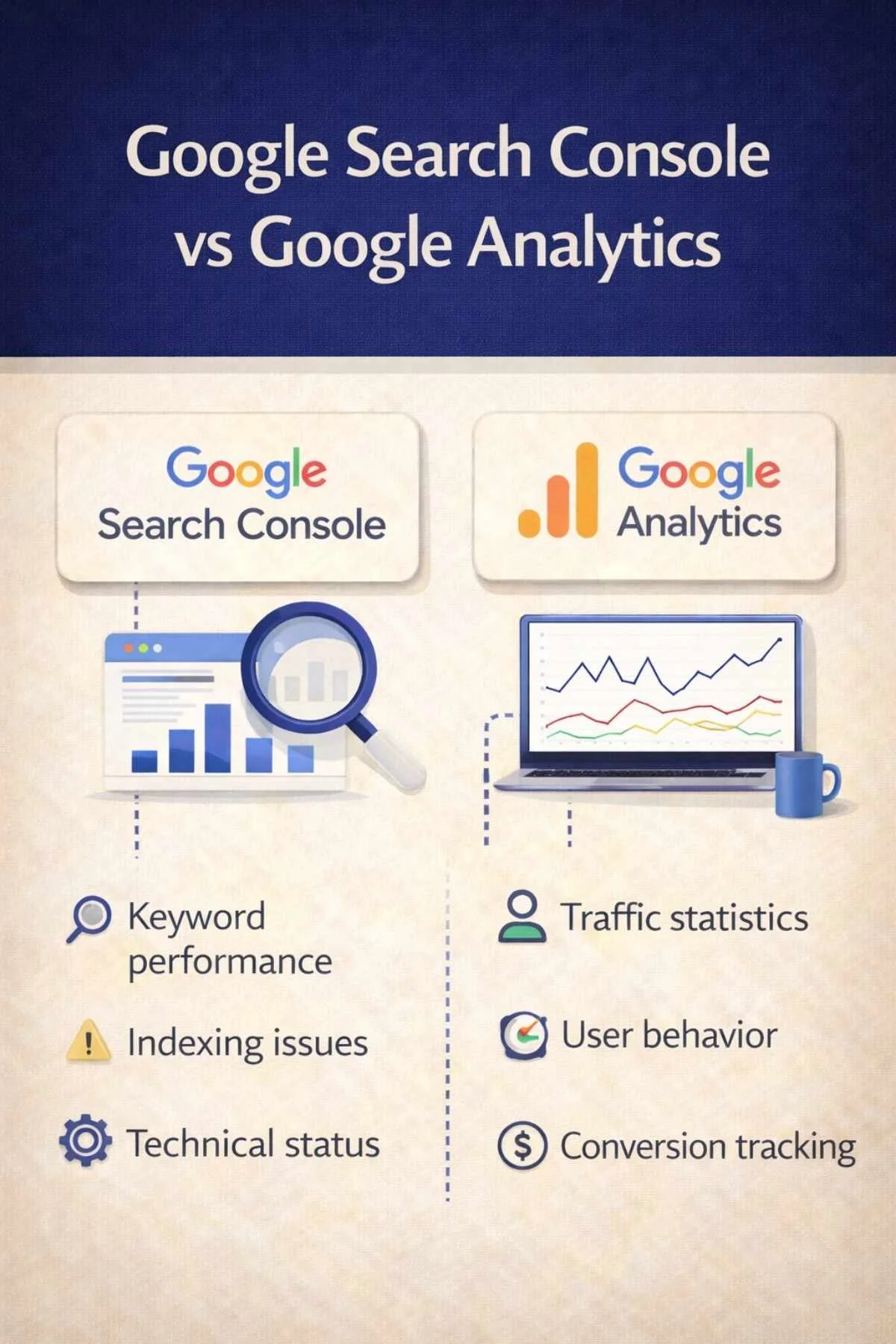
Google Search Console shows what happens before someone clicks your website. It focuses on:
• search visibility
• rankings
• indexing
• search queries
Google Analytics shows what happens after someone arrives on your website. It focuses on:
• visitor behaviour
• time spent on site
• pages viewed
• conversions
Both tools are useful, but they answer different questions.
The four things I check first in Google Search Console
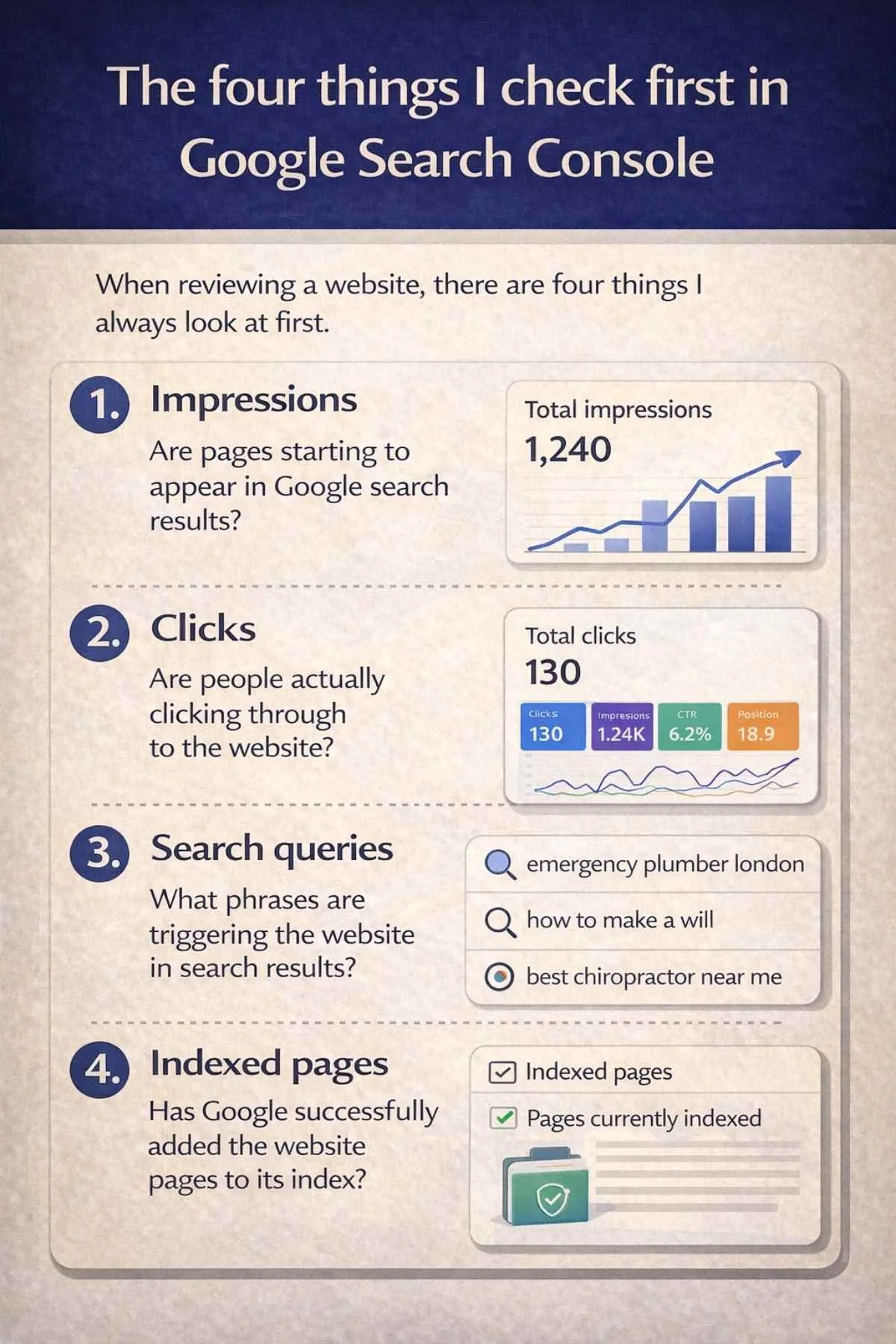
When reviewing a website, there are four things I always look at first.
1. Impressions - Are pages starting to appear in Google search results?
2. Clicks - Are people actually clicking through to the website?
3. Search queries - What phrases are triggering the website in search results?
4. Indexed pages - Has Google successfully added the website pages to its index?
These simple indicators provide a quick overview of whether a website is starting to gain visibility online.
If your website is appearing in search results but not receiving many clicks, it may help to understand some of the common reasons websites struggle to gain visitors. We explain this in our guide Why Is My Website Not Getting Traffic?
What small business owners should know about Google data
One of the most important things to understand is that Google data takes time. A new website will not immediately appear for lots of searches.
In many cases the pattern looks like this:
Month 1
Google begins crawling the site
Month 2
Pages begin appearing for some searches
Month 3–6
Visibility gradually increases
This is completely normal. Search visibility grows over time as Google learns more about the website.
A simple truth about websites and Google
One of the most common assumptions small business owners make is that launching a website automatically brings visitors.
In reality, Google needs time to:
• discover the website
• understand what it is about
• decide which searches it should appear for
Tools like Google Search Console help website owners see this process happening behind the scenes.
How to use Google Search Console in 5 simple steps
You don’t need to understand every report in Google Search Console.
That would quickly become overwhelming.
Instead, here are five simple things small business owners should check.
Step 1 — Log into Google Search Console
To begin, go to:
https://search.google.com/search-console
Sign in with the Google account connected to your website.
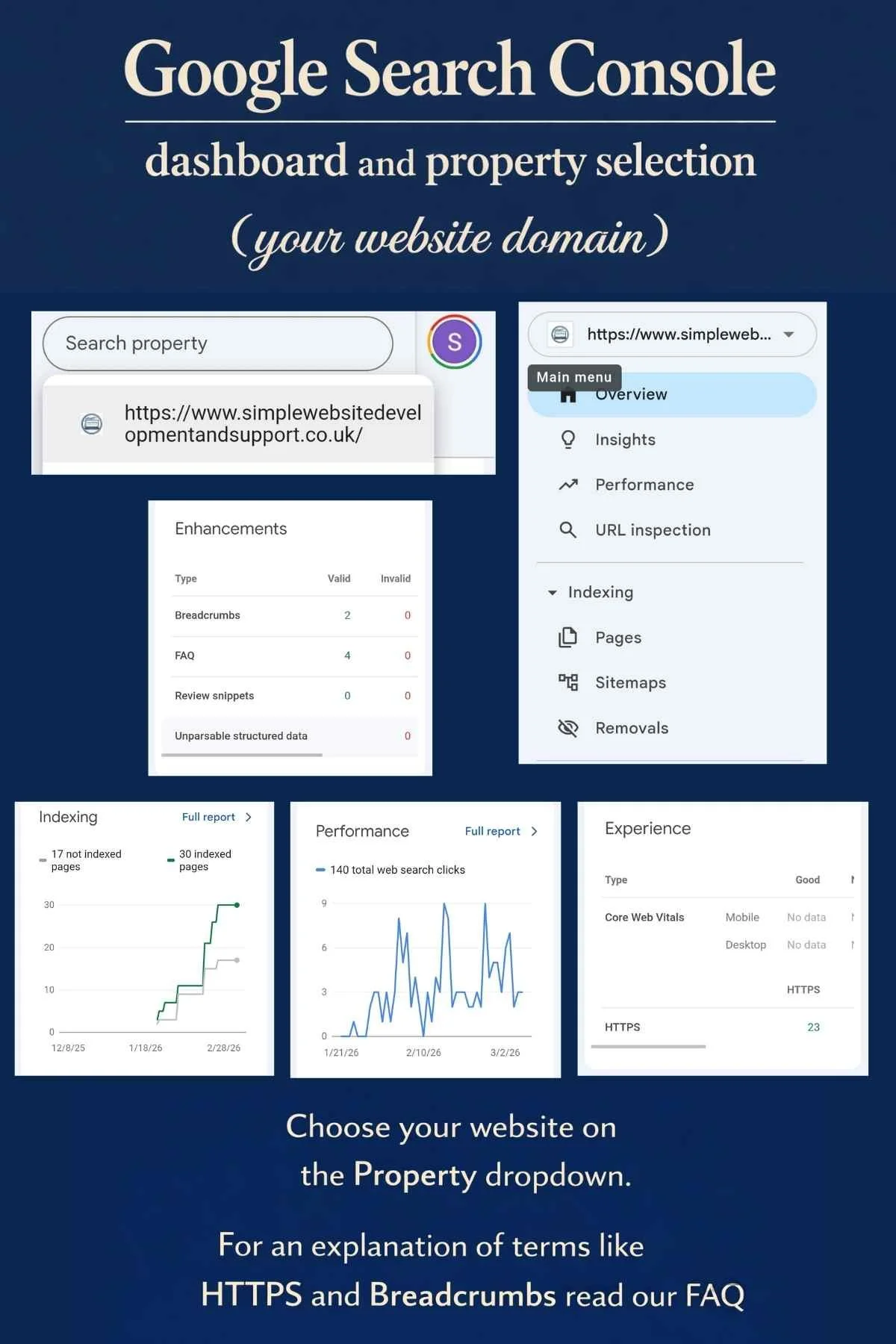
Once logged in, select your website from the Property list. This will open your Search Console dashboard.
You will see Enhancements, Indexing, Performance and Experience. For an explanation of these terms we explain these on our FAQ Page.
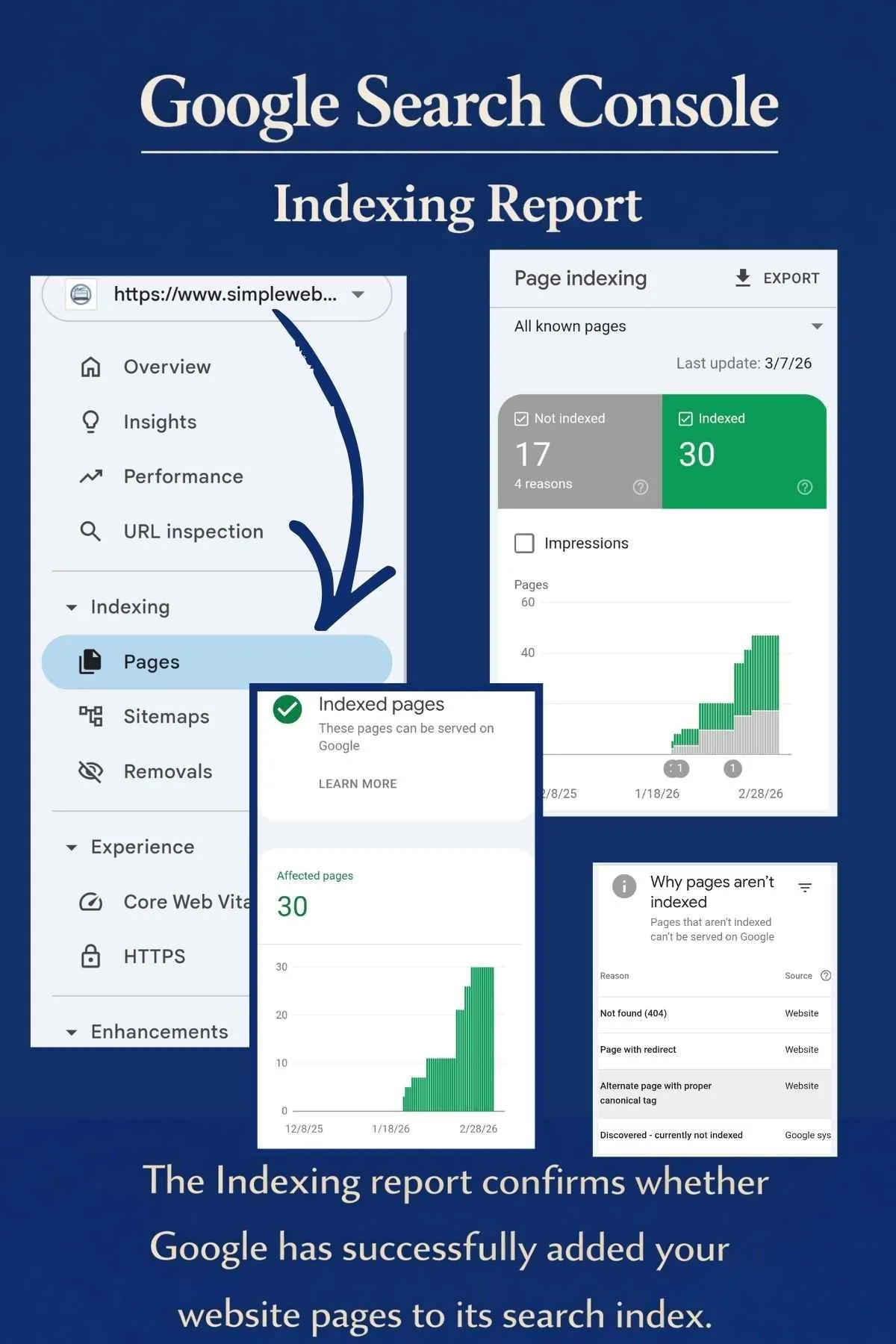
When you open your website in Google Search Console, the Overview page gives a quick snapshot of how your site is performing in Google. The Performance section shows how often your website appears in search results and how many people click through to your pages. Indexing confirms whether Google has successfully added your pages to its search index so they can appear in search results. Experience focuses on how usable your website is for visitors, including things like mobile friendliness, page speed and secure connections (HTTPS). Enhancements highlight additional features Google has detected on your site, such as structured data for FAQs, breadcrumbs or review snippets, which can help improve how your pages appear in search results.
Step 2 — Open the Performance Report
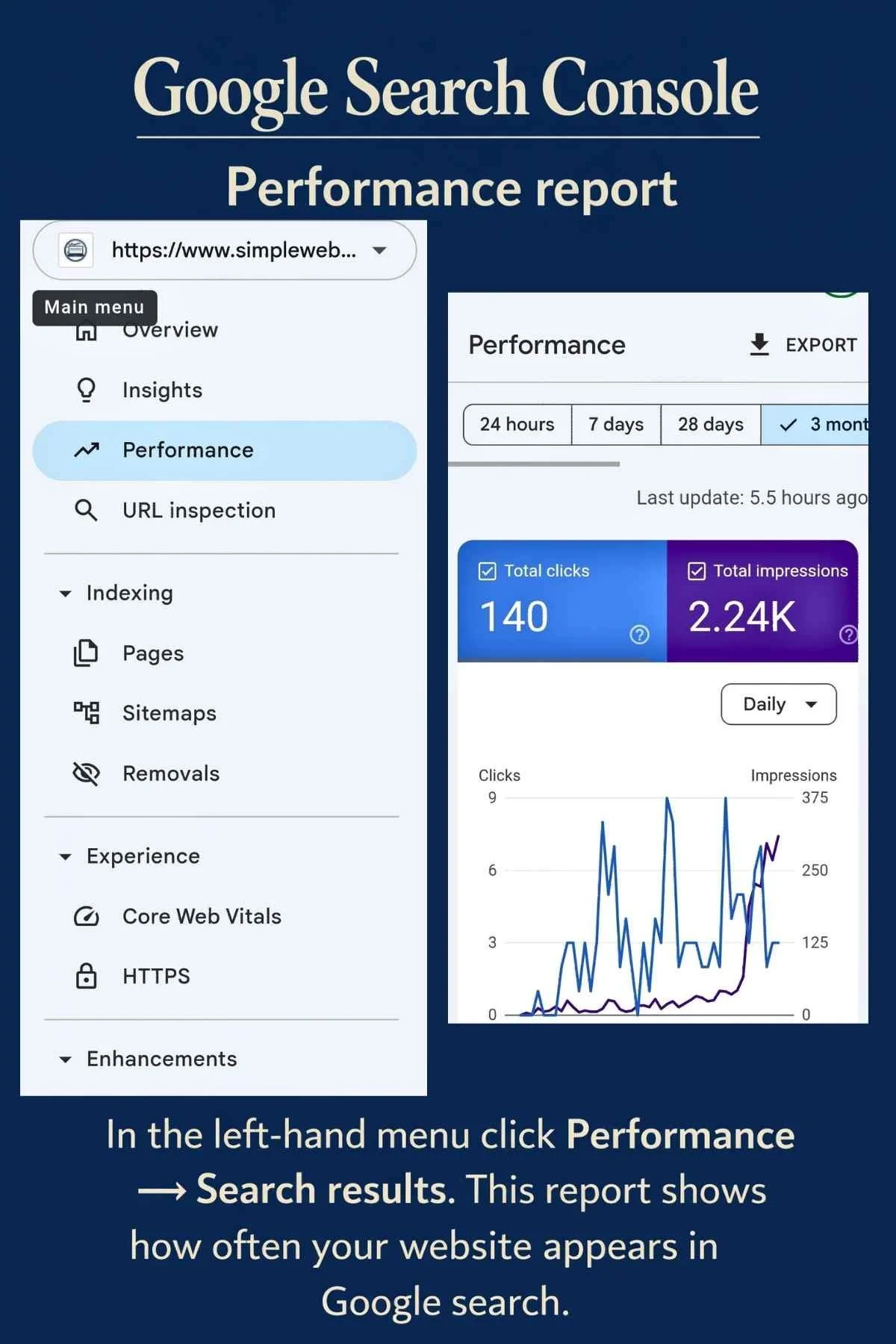
On the left-hand menu, click:
Performance → Search results
This report shows how your website is performing in Google search.
Here you can see:
• total clicks
• total impressions
• average click-through rate
• average search position
In the Performance report, you can see how your website is appearing in Google search. Total clicks shows how many people clicked your website from search results, while total impressions shows how many times your site appeared in Google. Average click-through rate (CTR) is the percentage of people who clicked after seeing your listing, and average search position shows roughly where your website appears in the search results.
Step 3 — View the search queries people use
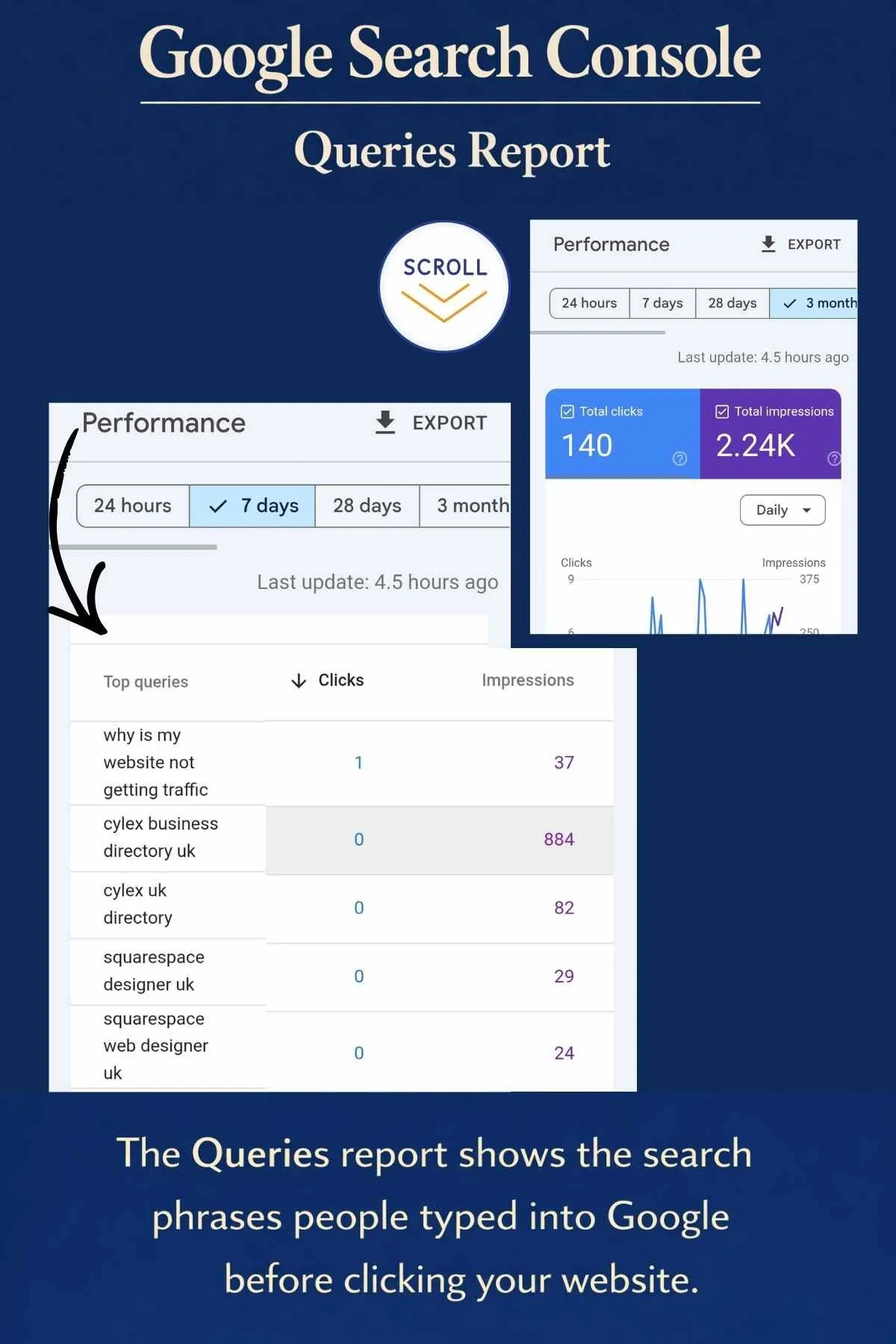
Scroll down the page.
You will see a table showing Queries.
These are the actual phrases people typed into Google before finding your website.
This insight can help you understand what potential customers are searching for.
The Queries report shows the search phrases people typed into Google before finding your website. This is important because it reveals the keywords your website is appearing for in search results. By understanding these queries, you can see what potential customers are searching for and how Google is interpreting your content. Over time, this helps you improve your website’s SEO by creating pages or blog posts that better match the words people are actually using to search.
Step 4 — Check which pages are appearing in Google
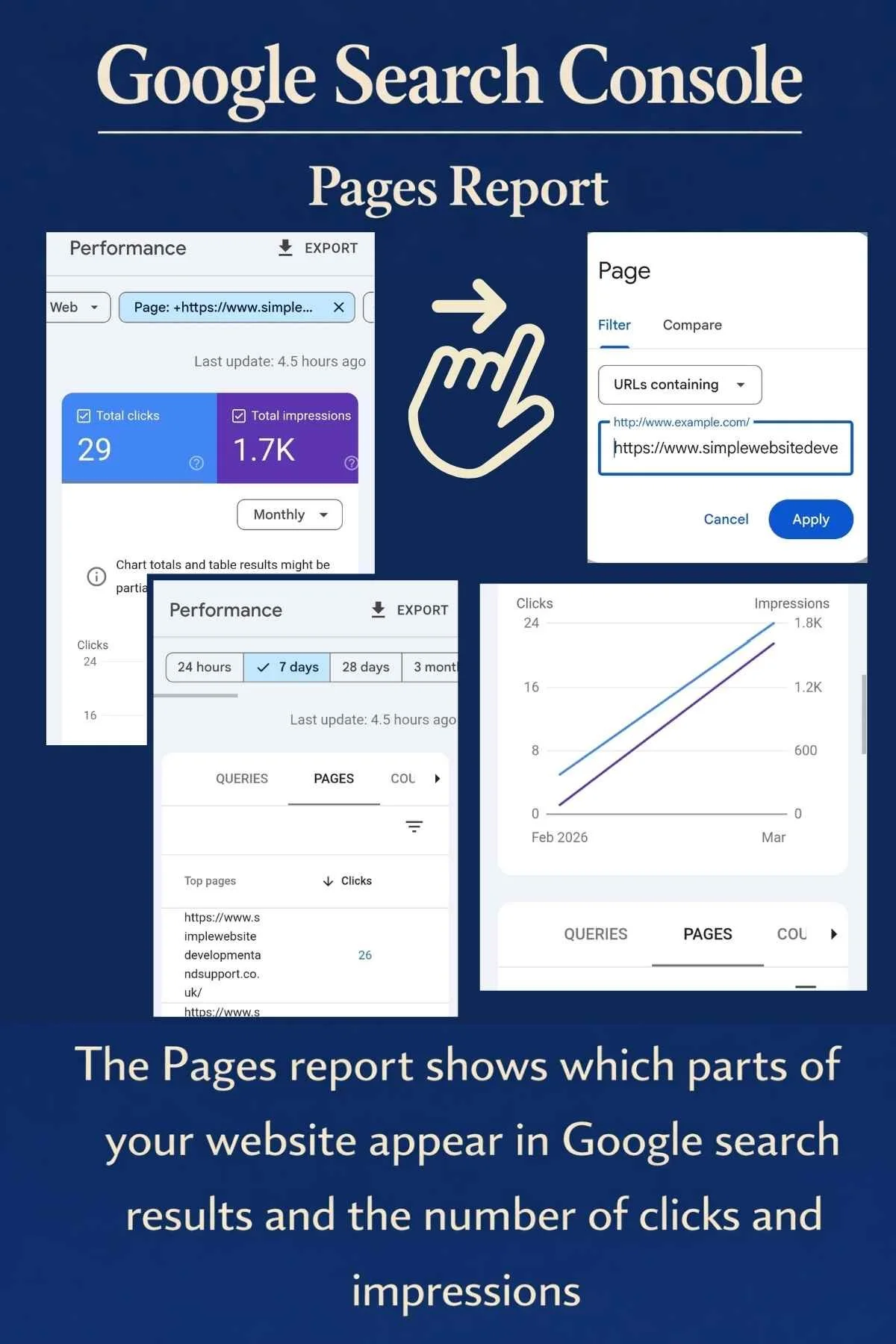
Above the query table you will see tabs including:
Queries | Pages | Countries | Devices
Click Pages.
This shows which pages of your website appear in Google search results.
Well-structured pages are much easier for Google to understand. In our article Simple Website Design: What Service Businesses Actually Need, we explain why structure and content matter far more than visual design alone.
The Pages report shows which pages on your website are appearing in Google search results. This helps you understand which parts of your website Google recognises and which pages are attracting clicks from search. It can highlight which blog posts, service pages or guides are gaining visibility, and it also helps you spot important pages that may not yet be appearing in search results.
Step 5 — Check indexing status
On the left-hand menu click:
Indexing → Pages
This section shows whether Google has successfully indexed your website pages.
If pages are not indexed, they cannot appear in search results.
You can also request indexing for new pages here.
Why some pages may not be indexed - When reviewing the Pages report in Google Search Console, you may notice that not every page on your website is indexed. This is completely normal.
For example, on our own website we currently have 17 pages that are not indexed. That does not mean there is a problem. Google often chooses not to index certain pages because they are not intended to appear in search results.
Some common reasons include:
• Utility pages such as client portals or thank-you pages
• Duplicate or similar pages where Google selects one main version
• New pages that Google has not crawled yet
• Pages with little search value, such as internal information pages
The key thing to check is that your main pages and blog articles are indexed, as these are the pages designed to bring visitors to your website.
3 simple things to check each month
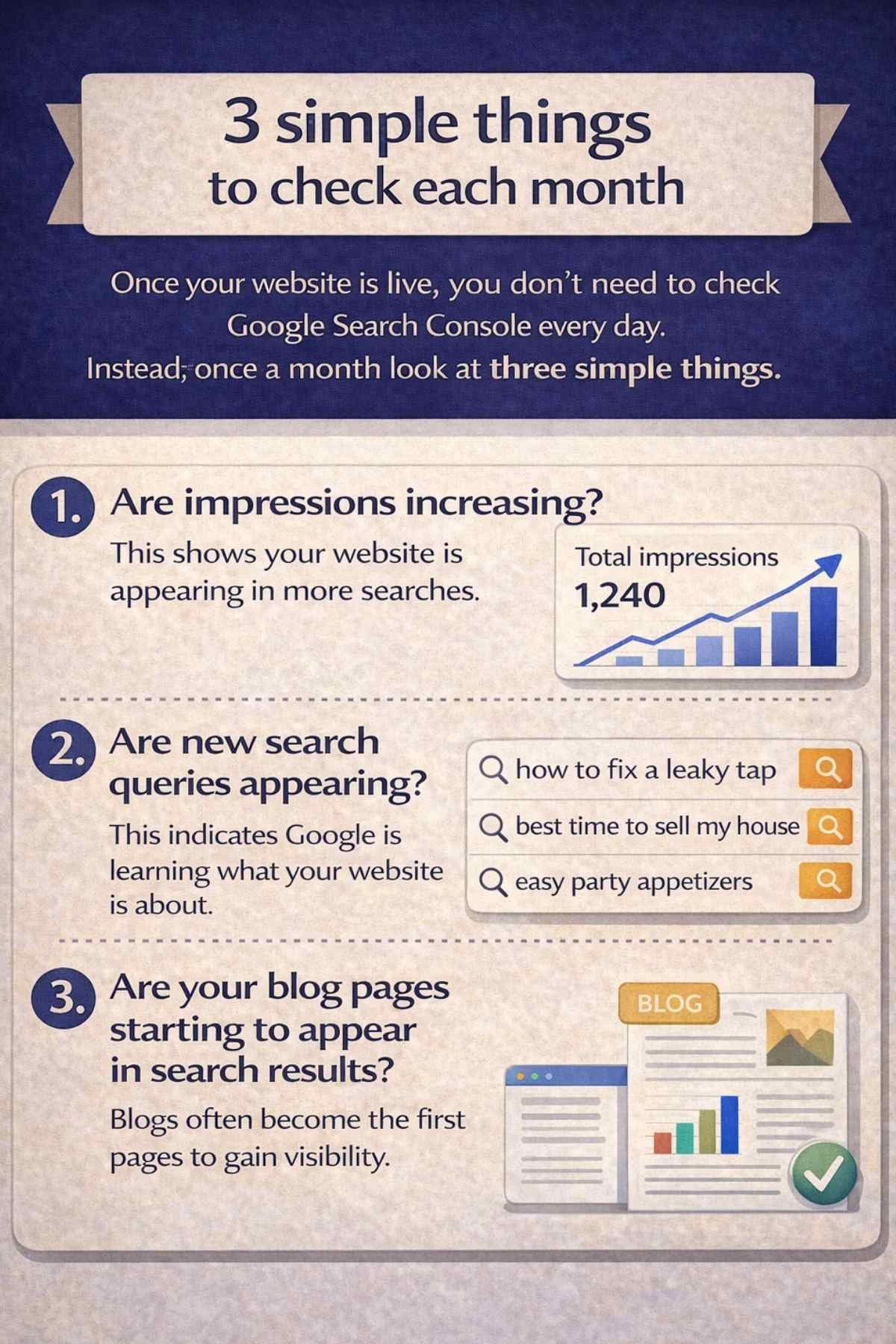
Once your website is live, you don’t need to check Google Search Console every day. Instead, once a month look at three simple things.
1. Are impressions increasing?
This shows your website is appearing in more searches.
2. Are new search queries appearing?
This indicates Google is learning what your website is about.
3. Are your blog pages starting to appear in search results?
Blogs often become the first pages to gain visibility.
Final thoughts
Google Search Console may look intimidating at first, but it is actually one of the most valuable tools available to website owners.
It shows:
• whether Google can see your website
• how your visibility is growing
• which searches are bringing visitors
For small businesses trying to grow online, that information is incredibly powerful.
If you're building a new website or trying to understand why your current website isn't getting found on Google, understanding tools like Google Search Console is a good place to start.
If you’d rather have a website built properly from the start — including SEO foundations and Google Search Console setup — you can learn more about our Core Website Package for Small Businesses.
If your website isn’t appearing in Google searches yet, Google Search Console is one of the best places to start understanding why. It helps small business owners see whether Google can find their pages, what people are searching for, and how their website is performing in search results.
You might also find these useful:



Want help understanding how your website is performing?
I offer a Free Website Visibility Check for small businesses. In a relaxed 30-minute chat we can:
• review your Google Search Console data
• look at your SEO and keywords
• check your business listings
• see how your website appears in Google searches
You’re welcome to book whether you have a website, have listings, or have neither yet.

How much does a small business website cost in the UK?
A small business website in the UK can cost anywhere from £300 to £3,000+, depending on how it’s built, who builds it, and whether it’s set up to actually bring enquiries. This blog explains real pricing, what’s often missing from cheaper builds, and what actually makes a website work.